How WizzyLab Works

hero__pic-8

What is Wizzylab used for

Wizzylab is an online platform that allows anyone, regardless of their experience, to create their own website or mini marketplace and use it to launch video courses, online consultations, events, and deliver educational programs.

Wizzylab makes it easy to package your expertise into a course, publish it on your own website, or integrate it into a landing page or WordPress blog, and then sell it or offer it for free while building your personal brand. All of this can be done without technical skills in just 5 minutes. Anyone can try a new profession starting today without additional costs, be useful to others, and earn income doing what they love.

With Wizzylab, instructors can create their own branded online schools and attract students from across the internet.

Why use Wizzylab?

Wizzylab allows you to create your own online school website or individual course landing pages with payment acceptance and automatic student enrollment after successful payment. The platform handles the entire technical process — from publishing products and processing payments to managing access to learning materials.

Thanks to this, Wizzylab can be used for various digital project formats:

• Online school or academy with paid or free access to video lessons.
• Mini marketplace for courses and digital products, where files, recordings, guides, and other materials can be sold.
• Events and webinars with dedicated sales pages and automatic participant registration.
• Training center for a company or organization — internal or external education.
• Content project or blog with free and paid materials.
• Online consultation and coaching platform with a booking calendar and sessions held in a virtual room.

This publication will help you understand the capabilities of Wizzylab. In it you will find the following information:

How to register a Wizzylab account
How to design and configure your website
How to add your first course, event, and online consultation
How to connect a blog and use posts
How to create paid products — enabling payment processing
How to extend features — integrating messengers, like buttons, email marketing services, analytics, and comments
How to integrate Wizzylab with other landing pages

How to register a Wizzylab account

To start using Wizzylab, go to
wizzylab.com and click the “Sign up” button.

In the registration form, you need to provide:

• Your name and email address (the name will be used as the default author name for your content)
• the website name and its internet address (a subdomain or a custom domain — both can be changed later if needed)
• a password to access the system

After completing registration, you can access your dashboard via wizzylab.com using the “Log in” button.

faq-4

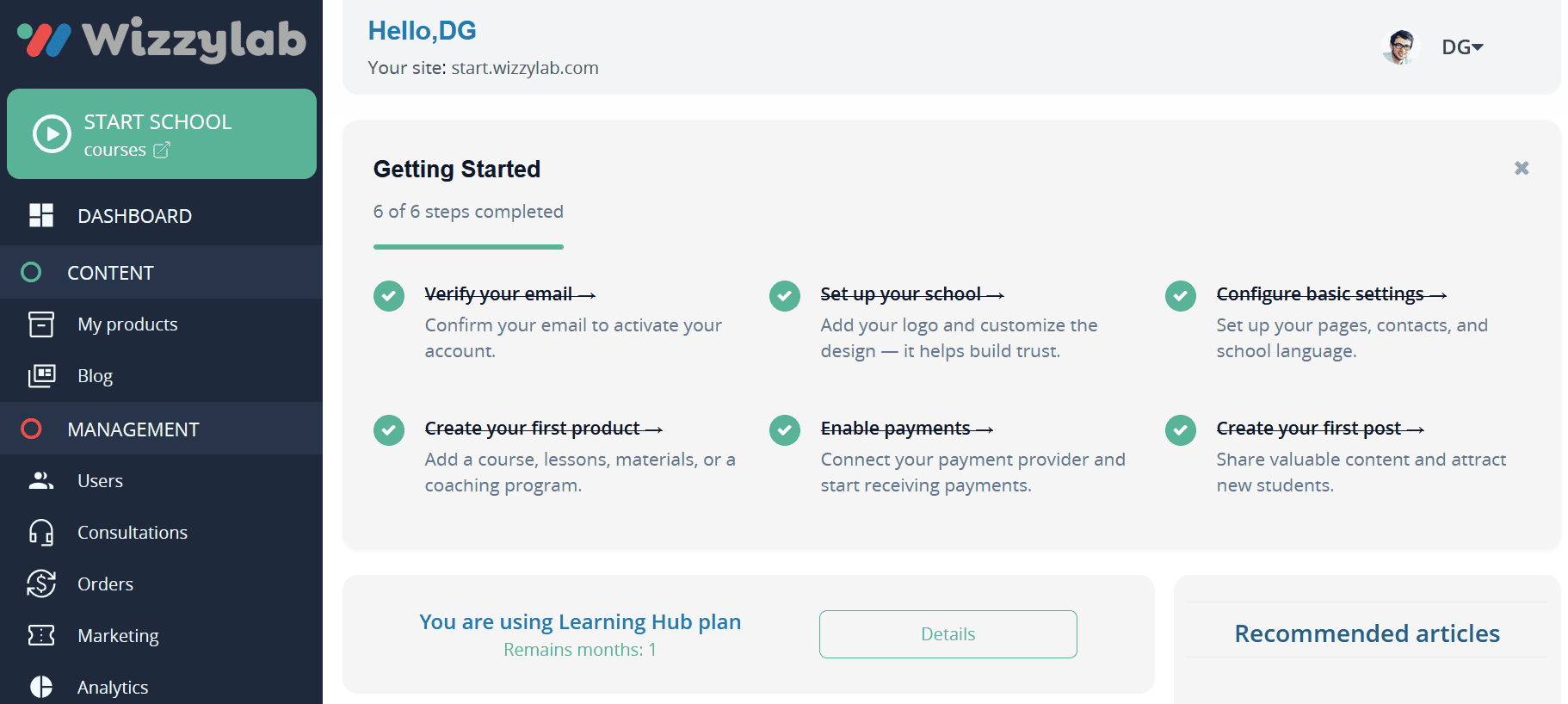
After registration, you will be taken to your personal dashboard — the Control Panel. The main page provides access to key platform actions, brief website statistics, and helpful tips and information on the right side of the screen. From here, you can create courses, manage users, and configure your online school.

Course -add-product

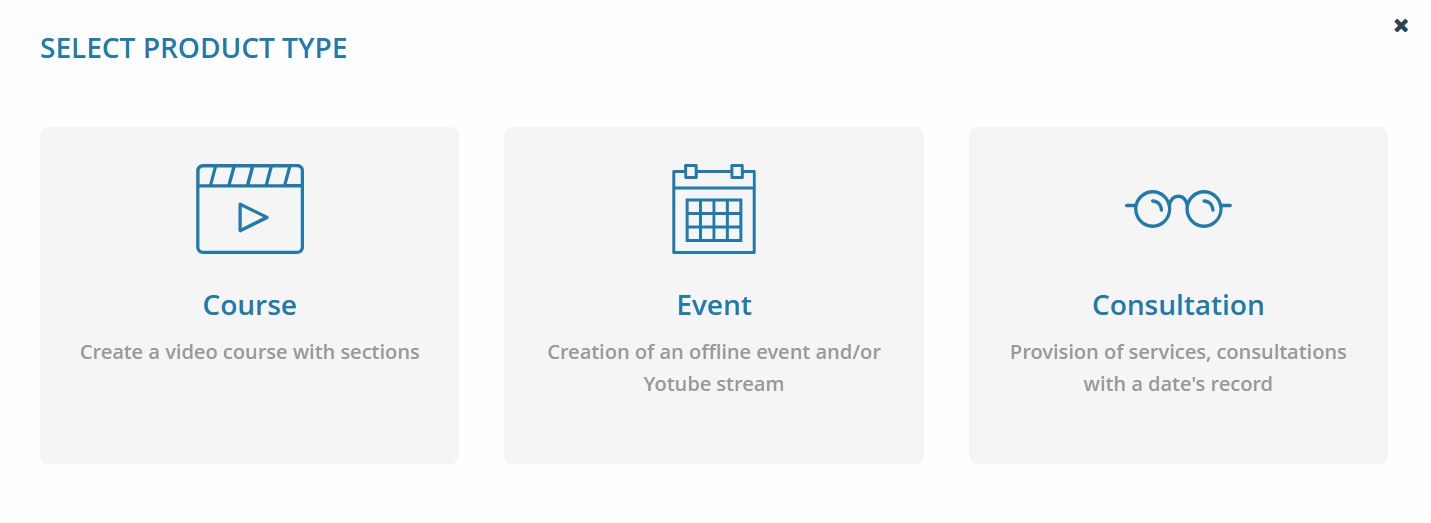
In the “My Products” section, you can add a new digital product in just a few seconds by clicking the “Add Product” button. The platform supports three product types: course, event (webinar), and consultation or one-on-one coaching. To create an online course, select the “Course” option.

Course Settings short

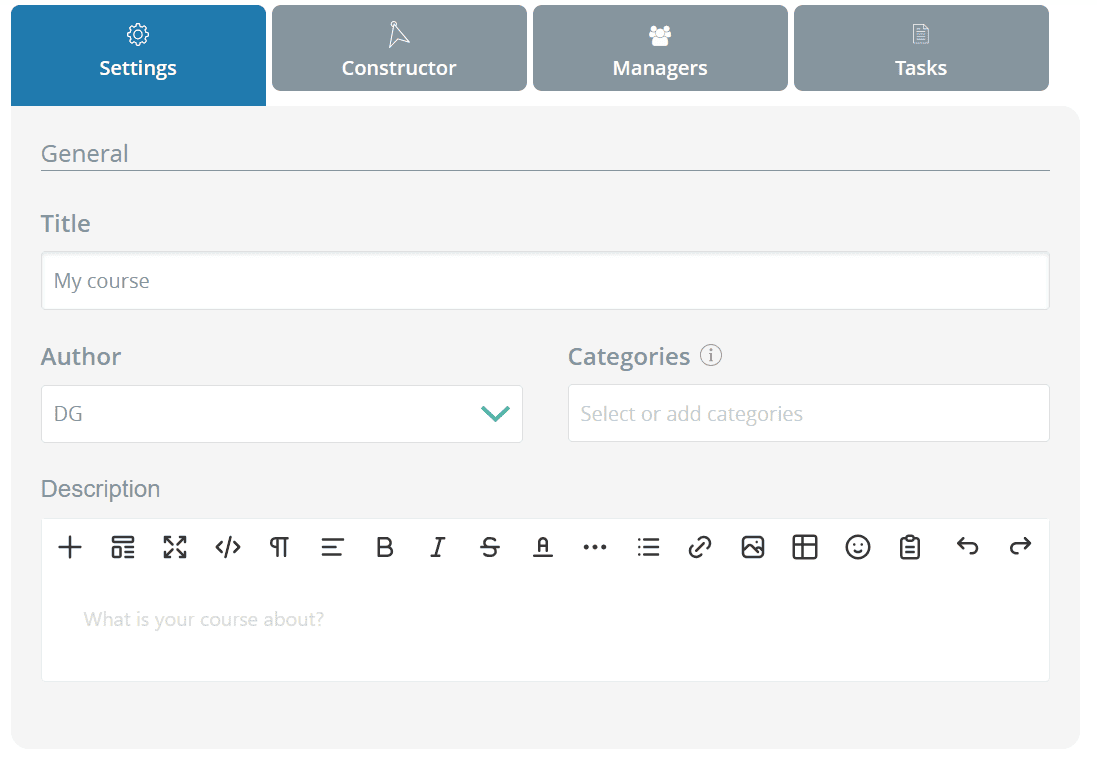
In the “Settings” section, you define the main product parameters:
the product name, description, and information explaining why users should purchase or view this material. You can select yourself as the author or create multiple authors and, for example, publish different video courses by different authors under a single account.

In the “Mini Landing Design” section, you can choose a course image or skip it and simply select a course color — in this case, the course will be displayed on the website as a colored block.

Here you can also add an additional promo video overview. In the pricing section, you can specify whether the product is paid or free.

Course -lessons-type

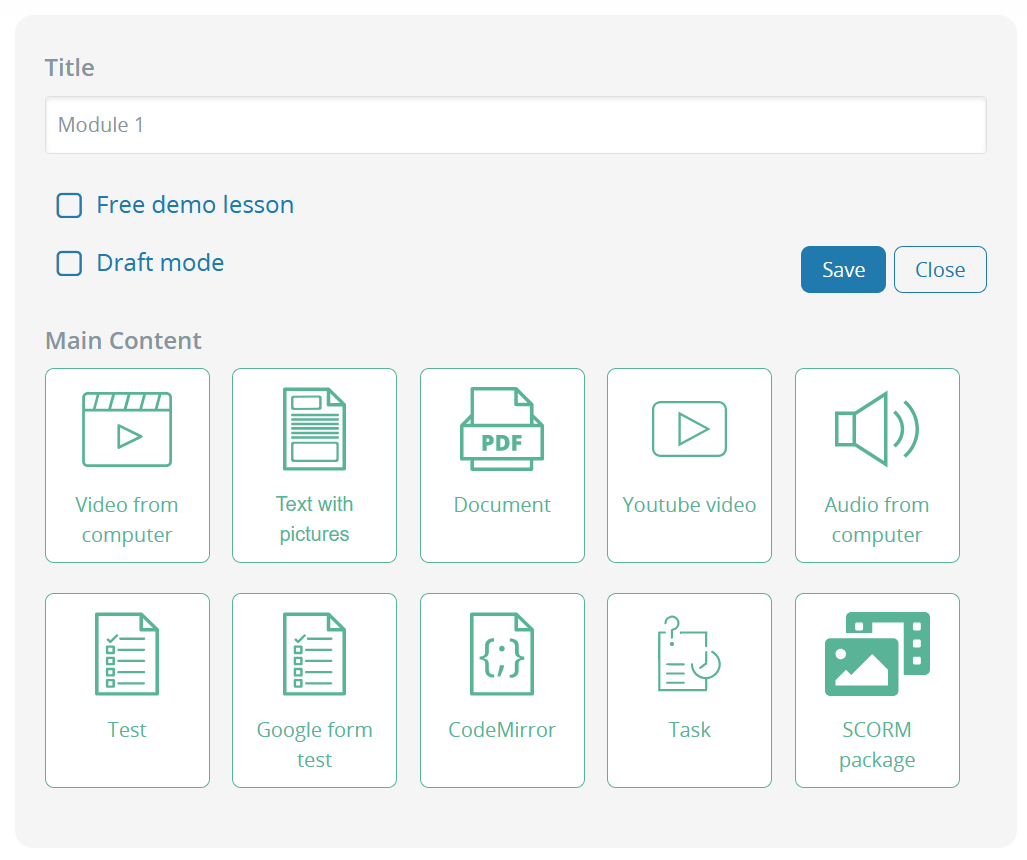
If the “video course” content type is selected, an additional “Builder” tab becomes available, where you can add sections and lessons.

Within lessons, you can add the following content:

  • • video
  • • audio
  • • text with images
  • • presentations
  • • PDF files
  • • YouTube videos
  • • quizzes and tests
  • • code editor with syntax highlighting
  • • as well as downloadable materials, such as PDF reports

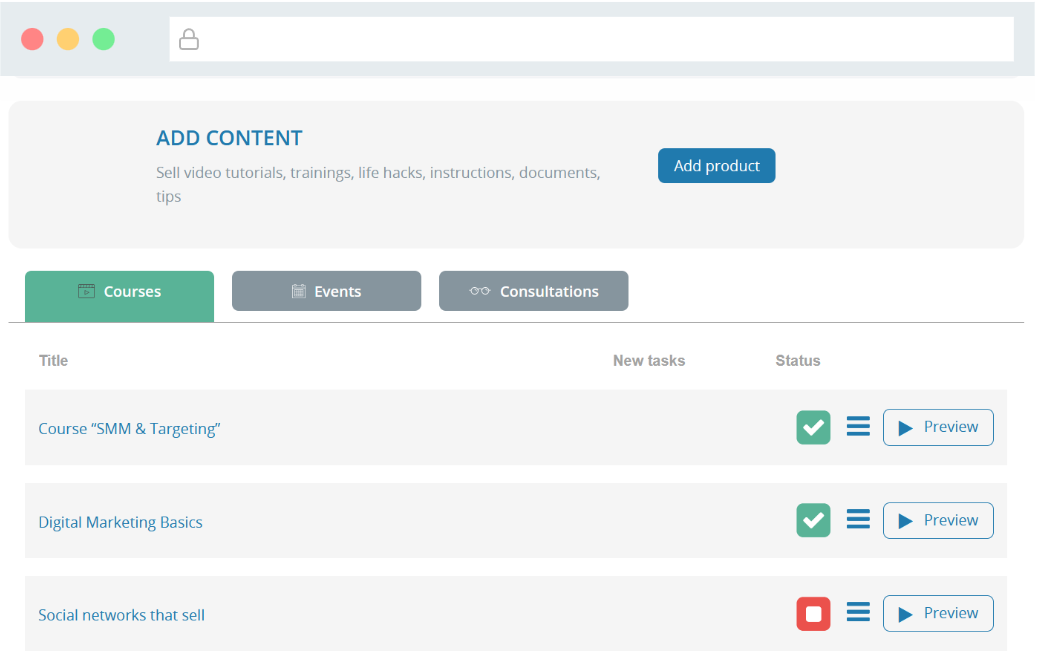
After creating a course or consultation, it is set to the “Not published” status by default and is not visible on the website. To publish it, go to the product list (the “My Products” section in the left menu) and click the red square in the row of your product.

faq-8

After that, your course will become available online. Using the “Preview” button, you can open the preview mode — this is exactly how your clients and students will see the content.

Events and online consultations

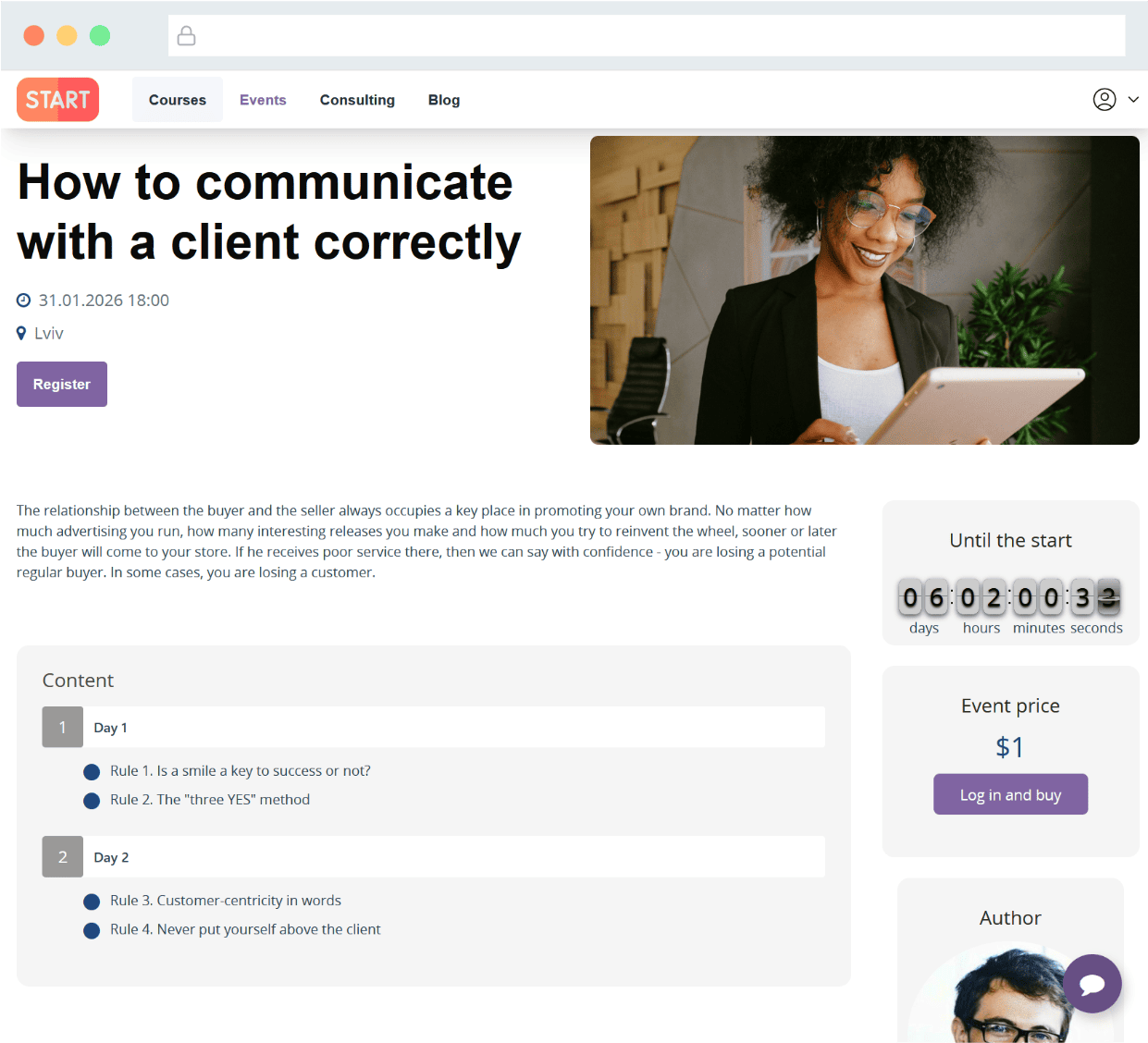
If you select the “Event” type when creating a product, additional fields will appear for entering the event date, time, and location. This is how the event page looks:

faq-9

Consultation process en -3

If you select the “consultation” product type, during the purchase process the user will be asked to choose a preferred date and time for the session, as well as provide contact details for communication.

After successful payment, a virtual room link in appear.in is automatically generated and can be sent to the user via email.

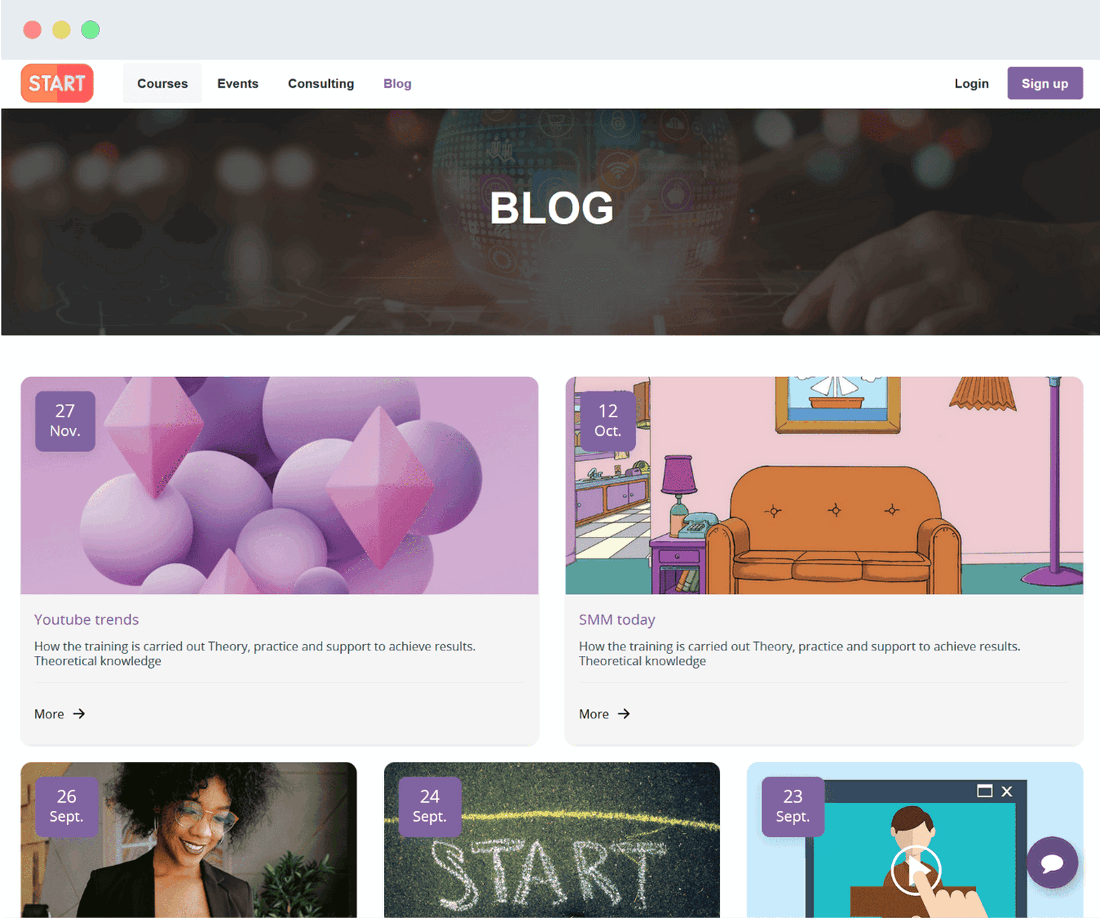
Need a blog?

Creating a beautiful, simple, fast, and responsive blog on the Wizzylab platform is very easy. You can build your personal brand, attract additional clients, and of course share news and updates. All of this is possible with a blog.

faq-11

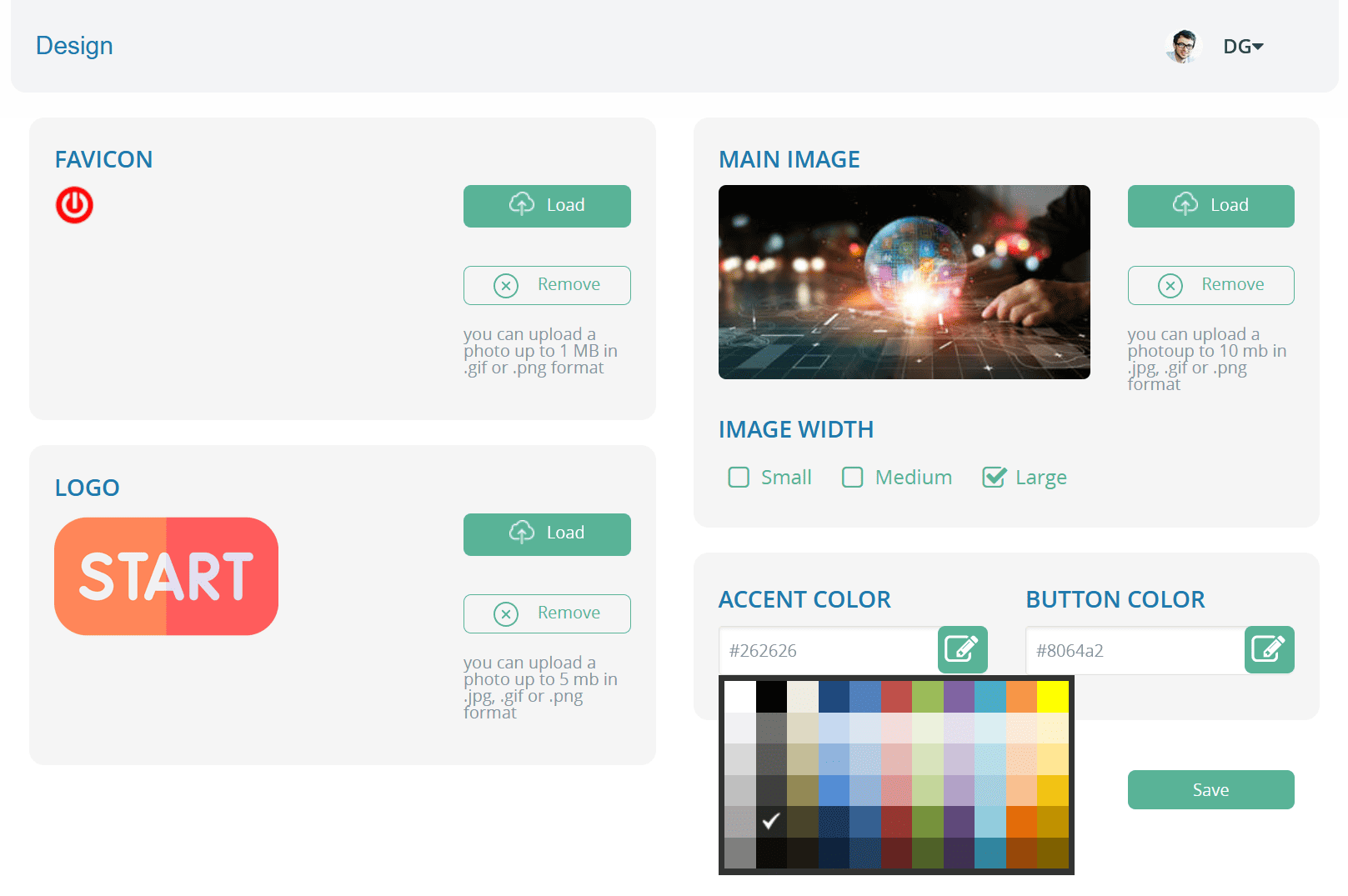
Appearance or how to set up web design?

You can customize your own visual style in the “Design” section.
Here you can add a logo, a favicon (the icon shown in the browser tab), choose the main website image, and adjust the colors of menus and buttons.

faq-12

On the start ... Launch site

That’s basically it — now you can view your website. You can open it using the “Go to website” button at the top of the dashboard.

A website like this, for example, can be created for free immediately after registration by simply adding a logo, a few images, and videos.

faq-13

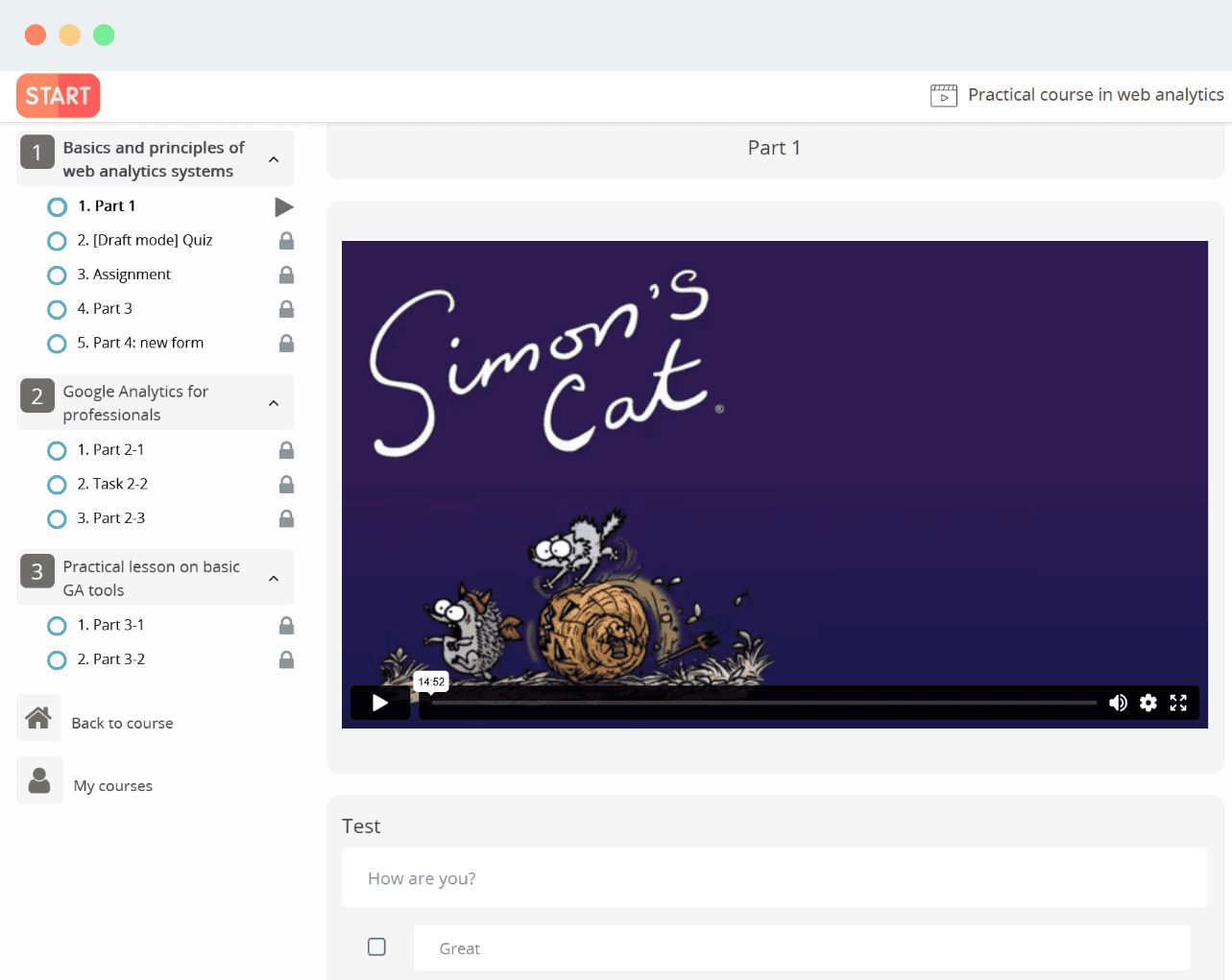
Ok, but how will the user see the materials?

When purchasing a course, the user enters a dedicated “learning mode” where all materials are presented in a convenient format. You can make some sections free so users can review them before purchasing and make a decision. In this mode, video content is protected from copying.

faq-15

Examples of using

Wizzylab can be integrated into any website, blog, or even multiple platforms at the same time.
It’s a powerful solution that opens up a wide range of sales channels for you.

WordPress, Wix, Joomla, and more — these are just a few of the most popular platforms where Wizzylab can be easily installed by simply adding a line of code to the required pages.

Connection of payment reception

Easily accept payments for courses, events, or digital downloads using Visa/Mastercard cards or PayPal.

You can set up a payment gateway in just a few clicks, offering a convenient and secure solution for all your online course payments.

8-1


Wizzylab provides an extremely simple payment gateway setup for seamless online payments.

  • 0% additional transaction fees
  • Create multiple pricing plans for a single course
  • Allow students to purchase your products from mobile devices using Google Pay or Apple Pay

Integration and complements

As mentioned above, Wizzylab functionality can be extended using integrations such as MailChimp, Disqus, and BDOW (Sumo).

For example, with MailChimp you can configure automatic email list management so that when users purchase your video courses or files, their email addresses are added to a dedicated list. Everyone on this list can then receive emails with useful materials or follow-up instructions every 5 days.

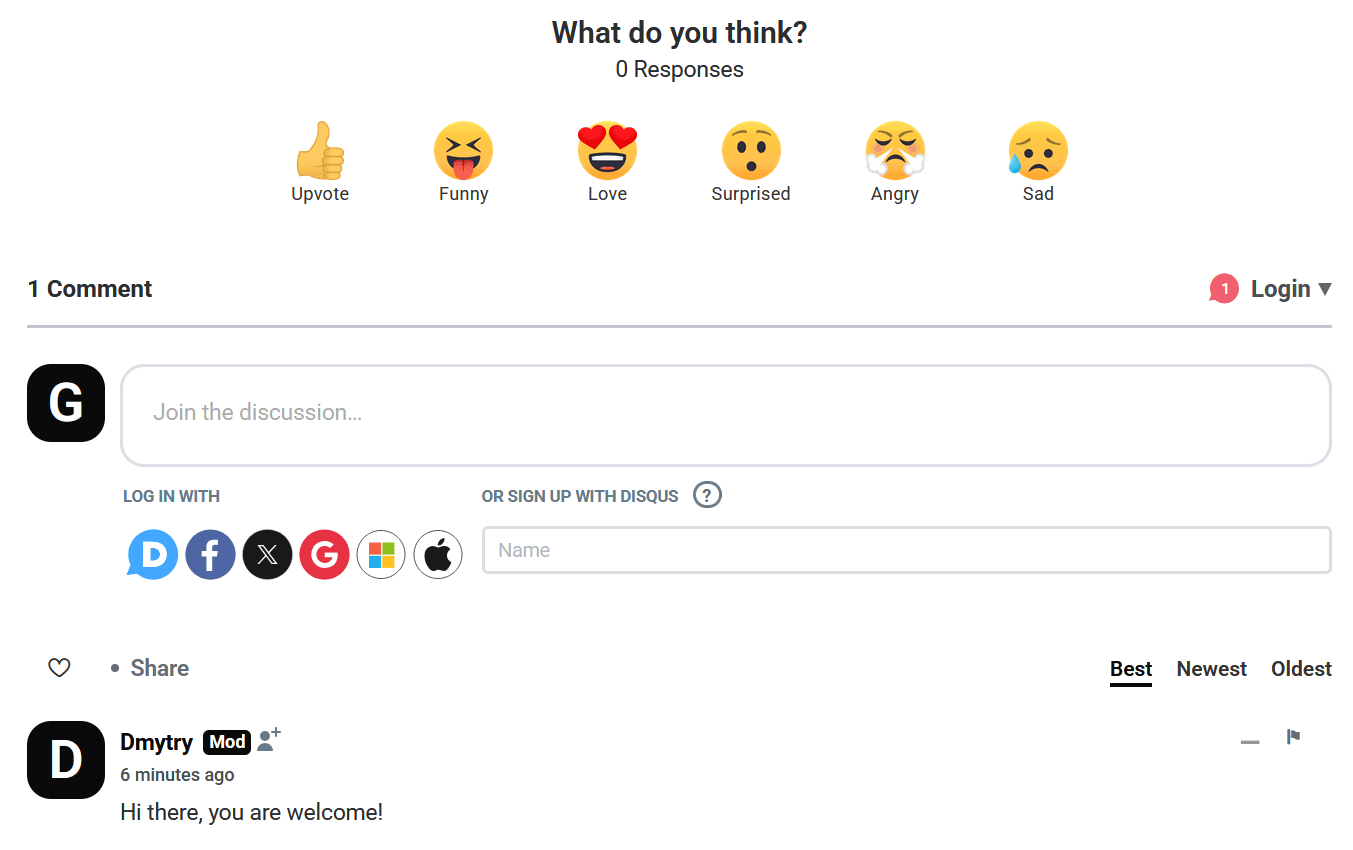
To enable commenting on each product, you need to connect Disqus. At the end of each video course or event, a clean and stylish comment form will appear:

faq-17

For social media promotion, you can use BDOW (formerly SumoMe) social sharing buttons. They are mobile-friendly and fully customizable in appearance for each page of your website.

If you need to set up direct communication with your website visitors, enable contact information in the settings and specify your social networks. By default, this information will appear on the right side as a floating button.

SEO and analytics

You can add meta tags for pages and products, use an automatically generated sitemap, view reports, and connect Google Analytics and Google Tag Manager for a complete analysis of your website’s performance.

• SEO settings. You can define meta titles and meta descriptions for the entire website as well as for each individual product (course, event, or consultation).
• Sitemap. The platform automatically generates a sitemap, helping search engines index your online school pages faster.
• Sales analytics. Sales reports are available in the Wizzylab dashboard.
• Google Analytics integration. Connect Google Analytics to track traffic, user behavior, and events on your website.
• Google Tag Manager. Google Tag Manager integration is supported for flexible management of analytics, advertising pixels, and third-party services without editing the website code.

And if I already have a blog on WordPress or Joomla?

If you already have a website, blog, or landing page, there’s no need to abandon it or migrate your content.
Wizzylab allows you to seamlessly embed a course catalog, individual course pages, or purchase buttons into any existing website — so everything looks like a single, unified experience for users.

You can use Wizzylab as the learning and payment layer, while your website serves as the marketing front.

Wizzylab can be used with any website builder or CMS, including:

Open-source platforms:
• WordPress
• Joomla
• Drupal

Landing page builders:
• Weblium
• Webflow
• Wix
• Squarespace
• Shopify
• Framer

HTML websites and any custom-built landing pages.

How Wizzylab integrates with these platforms

Wizzylab works with any of these solutions without requiring website migration:
• links to the course catalog or individual courses
• “Buy” / “Enroll” buttons
• iframe (widget)
• custom domain or subdomain

For users, it feels like a natural part of your website, while Wizzylab handles learning, payments, and access management.

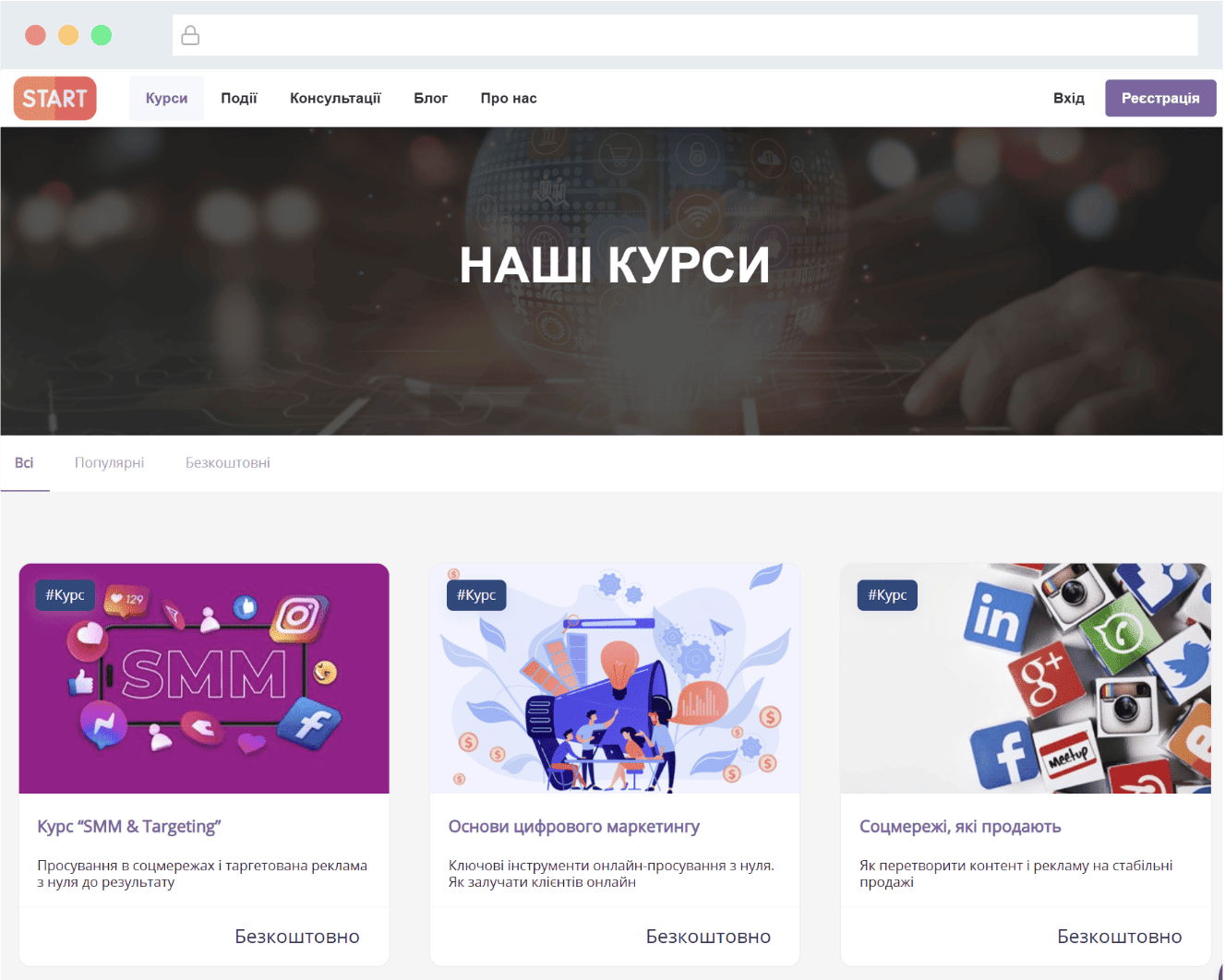
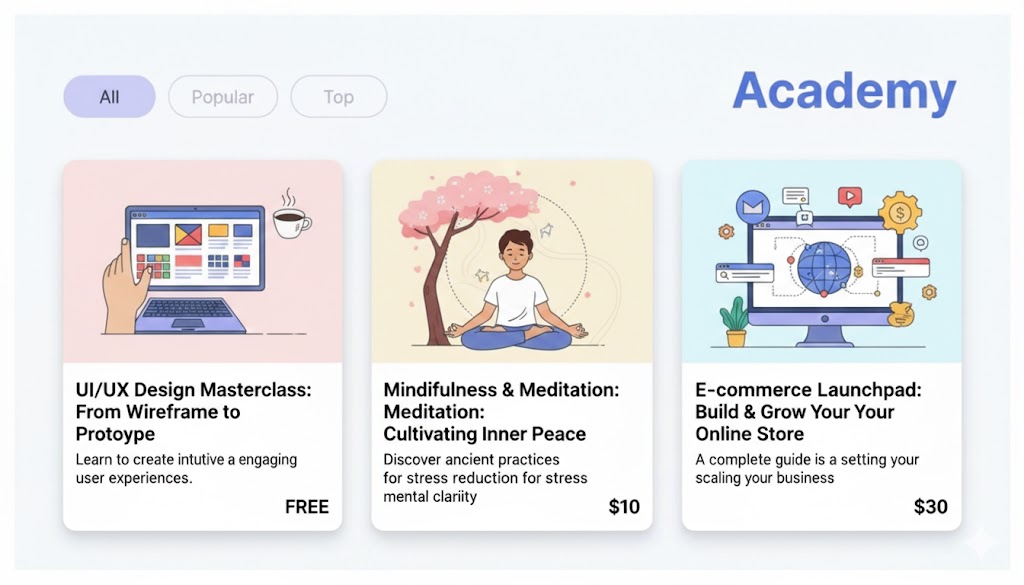
This is how your digital product catalog will look: courses, events, and consultations.

faq-21

Is it worth starting?

Yes, absolutely worth it.

You can use Wizzylab for almost two months for free while testing all key platform features, including paid products. Wizzylab can be used as a full-featured main website for your online school or as an addition to an existing website or course catalog.

The platform is easy to use, requires no technical knowledge, and helps you move quickly from idea to your first sales. When you’re ready to scale, you can choose a pricing plan that best fits your goals.

And if you’ve already used Wizzylab to sell digital products, we’d love to hear your feedback. Leave a comment and share your experience and real-life use cases.

Your ideas are very valuable

Now you have a complete overview of Wizzylab’s capabilities — how to create courses, events, and consultations, accept payments, work with content, analytics, and integrations, and embed the platform into existing websites. This allows you to quickly launch a digital product and focus on what matters most — delivering value to your customers.

If you have ideas on how to make Wizzylab even better, please share them with us. Many platform features were created thanks to suggestions from our users.
And if you notice a bug or inaccuracy, let us know — we’ll do our best to fix it as quickly as possible.

prefooter2-compressor